

The other day I was getting ready to write a blog post and got it started in Google Docs. While I was writing in Google Docs I stumbled upon several tools that they provide that have helped me to complete more quality blog posts in less time. So I figured I’d share what I’ve found.
1. Quickly Insert Drawings
Drawings can make complex ideas seem simple. Before if I needed to create a flow chart or diagram I would have to use another tool like Power Point. Now I go to Insert -> Drawing to make the diagram and then simply insert it into the post. It’s a big time saver and if I need to make any edits I don’t have to worry about finding the original file.
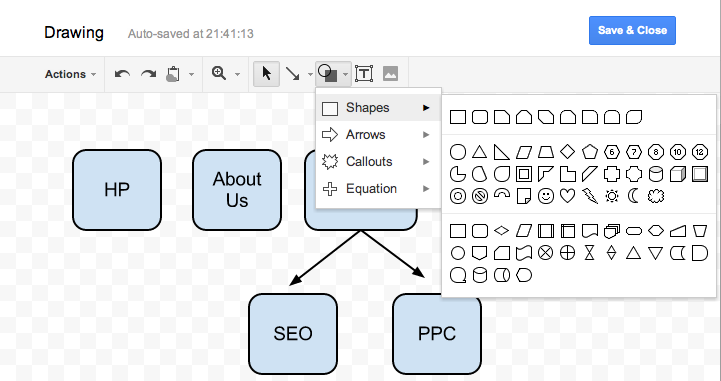
2. Save Time Finding Stats, Images, and Quotes
This is my favorite tool that I found, which is the ability to add a research column in the Google Doc browser by selecting Tools -> Research.
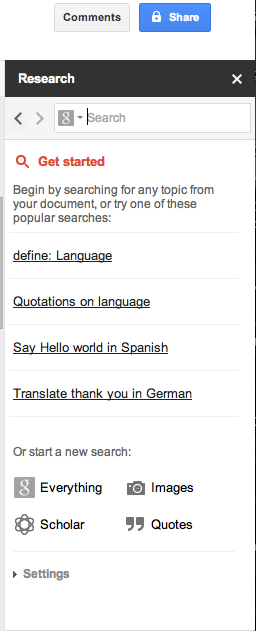
When I am writing a blog post I usually have to open lots of tabs to look for images, statistics, and quotes. This can be distracting and time consuming, but with this new research column you can accomplish all of these without leaving your blog post. Type in the keyword of what you are looking for and filter it by quotes, photos, and statistics. Additional bonus: when you insert anything from the research column it automatically adds the source and a footnote to the article.
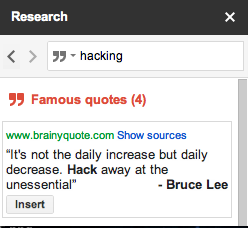
3. Get Feedback With Comments
Whenever I get done with a post I like to have a friend read through it to catch the sure to be many errors I make. All you need to do is Share -> Allow to Comment with someone you trust to proof read your content for you.
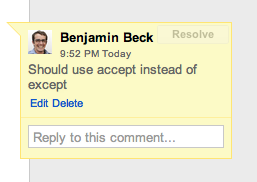
When your proof reader is going through your content and sees something that they would like to give feedback on, they can do this with Insert -> Comment. This allows them to give you the feedback that you are looking for.
Once they leave this feedback you can go back to review and resolve their comments before publishing. I especially like the feature that you can check the comments history the document has had, even the resolved ones.

4. Dictionary / Thesaurus
To save you a few trips to dictionary or thesaurus sites use Tools -> Define to get the exact definition or synonym for any word you are looking for.

5. Fast Word Counter
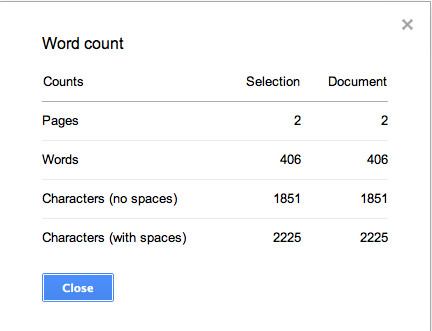
If you are a freelance writer or like to do guest posts, most blogs have a minimum word count requirement for submissions. Using Tools -> Word Count is a good way to check your progress.
I hope these blogging tips help you to leverage Google Docs to be more productive and get more done.
If you have any Google Doc hacks or tips please share in the comments!
Image Source: ChadSenga.com

All good Ideas, I hadn’t thought of using share for proofreading particularly but I might just add that into the workflow now. I haven’t gotten to grips with the drawing tools yet though. they are awkward. Adding images and then getting the formatting right can also be awkward in google docs. I find it’s great for simple documents or drafting but doesn’t have the polish I like in iWork.
Hey Phil,
As a fellow mac man i’m with you about the formatting problems.I’ve run into the opposite problem of items not formatting sometimes when a Word user opens an iWork document and the format is off.
If you have some iWork hacks, I’d love to hear them!
I’ve found the “See Revision History” hack really helpful. You can see all changes to the doc and go back to a previous version if you like that one better. It pretty much parallels Tracked Changes in Word.
You can see this function at File>See Revision History
Awesome Shawn! Thanks for the addition, much appreciated.